
If you run a small business, you probably still take bookings the old way: phone calls, messages, a paper diary or a shared spreadsheet. It works until two people want the same slot, a customer forgets the time, or you spend the evening answering "Do you have anything free on Thursday?"
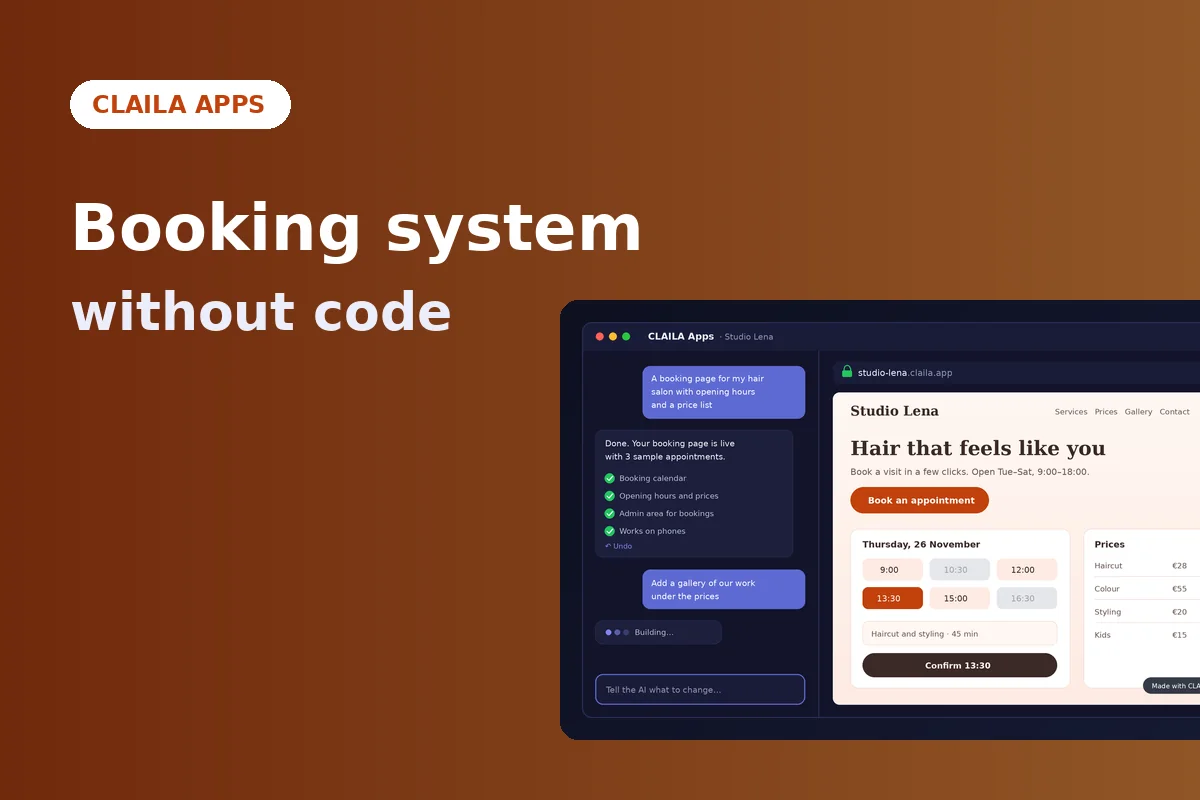
An online booking page solves most of that. The usual options are a booking service with a monthly fee and its own branding, or a custom system from a developer. This article shows a third way: building your own booking system with CLAILA Apps, where you describe what you need and an AI developer builds it on a server that belongs to your app.
What a small-business booking system needs
Before you write a single message, it helps to know what you're asking for. Most small booking systems have the same parts:
- Services: what can be booked, how long it takes, maybe a price shown to the customer.
- Availability: your opening hours, breaks, days off.
- A booking form: name, phone or e-mail, chosen service, date and time, an optional note.
- Rules: no double bookings, how far ahead people can book, the shortest notice you accept.
- An admin area: a list of bookings where you can see, confirm, move or cancel them.
Write these down for your business. Five lines on paper will save you several rounds of changes later.
Step 1: Create the app
Go to CLAILA Apps and name your app, for example "anna-hair". Within seconds it's live at https://anna-hair.claila.app with HTTPS. Nothing is on it yet, but the address works and you can already send it to your phone.
Step 2: Describe the booking system
A booking system stores data and has an admin area, so choose the Advanced mode for this part. It's meant for apps with logins, databases and bigger changes. A good first message looks like this:
A booking system for a small hair salon. Services: women's cut 60 min, men's cut 30 min, colouring 120 min. Open Tuesday to Saturday, 9:00 to 18:00, lunch break 12:00 to 12:30. Customers choose a service, then see only free times and book with name, phone and an optional note. No double bookings. Bookings at least 2 hours ahead, at most 30 days ahead. An admin area where I see bookings by day and can cancel or move them. Simple, friendly design, mostly used on phones.
The AI builds the booking page, the database and the admin area. It also adds a few demo bookings, so you immediately see a calendar that looks used rather than an empty screen.
Step 3: Find your admin area
The admin page gets a random address and a random login name, so nobody can find it by guessing /admin. You'll find the address and login under Logins and passwords in your app. They stay on your app's server.
Open the admin, look at the demo bookings and try the actions: cancel one, move one. If something is missing, ask for it: "In the admin, add a button to mark a booking as done" or "Show tomorrow's bookings first."
Step 4: Test it like a customer
This is the most important step, and the one people skip. Open the booking page on your phone (or use the phone preview in portrait and landscape) and try to break it:
- Book a slot. Does it disappear for the next person?
- Try to book during the lunch break or on a Monday.
- Book a 120-minute service at 17:00. Does the system allow it even though you close at 18:00?
- Try an empty name or a phone number with letters.
- Book something tomorrow at 9:00 when it's already evening.
Whatever goes wrong, describe it plainly: "When I book colouring at 17:00 it lets me, but we close at 18:00. Don't offer start times that end after closing." Then test again.
If a change makes things worse, press Undo. Every AI step can be undone, so you can go back to the last version that worked and try a different wording.
Step 5: Clean up and make it yours
Before you share the link with customers:
- Remove the demo bookings: just ask the AI to delete them.
- Add your details: address, a map link, your phone number, a photo of the salon, cancellation rules in one or two sentences.
- Check the texts: the AI writes sensible defaults, but your customers should hear your voice.
- Think about personal data. A booking stores names and phone numbers. Ask only for what you need, and add a short note about how you use the data. If you're unsure what your local rules require, ask someone who knows them; the AI can write the text, but it can't take responsibility for it.
Free or paid: what changes for a booking system
You can try all of this with a free account, which includes 3 messages in Basic mode. For a full booking system with a database and admin you'll want the Advanced mode, which comes with a paid plan.
There's one more practical point. Free apps fall asleep after an hour without visitors or messages. A real visitor wakes the app within seconds, so a customer will get the page, just with a short wait the first time. For a booking page you rely on every day, an always-on server is the better fit; paid plans include them (Pro 1, Ultra 3, Max 10). Free apps also show a small "Made with CLAILA" badge.
On a paid plan you can also connect your own domain, for example booking.annahair.com. You keep the domain where you bought it, add the records CLAILA shows you, and HTTPS is ready in about 30 seconds once the domain points to the app.
What to ask for next
Once the basics work, small additions can make a real difference:
- A list of today's bookings that is easy to read on a phone.
- Different hours for different days, or holiday closures you can enter in the admin.
- Several staff members, each with their own free times.
- A simple statistics page: bookings per week, most popular service.
Add them one at a time and test after each step. Bigger changes, like several staff members with separate calendars, are a good moment to switch to Advanced or Super advanced.
Honest limits
A booking system built this way is your own software. That is its strength and also its responsibility. You decide what it does, it runs on your app's own server, and the AI developer has no access to other customers' apps. But nobody tested it for your business except you. Spend half an hour testing it as a customer before you print the link on your business cards.
If you have a clear idea of how your bookings should work, you can have a working version at your own address today.